Your product line does not stay the same size forever, so why would your booth? If you started with five prints and now you're carrying stickers, enamel pins, a book, and three new print series, your table has probably felt too small for a while now.
The display and the product line are the same problem
Vendors talk about these as two separate things, growing your product line, and upgrading your booth, but they are really the same problem wearing two hats. More product needs more display space. More display space done badly means a cluttered, hard-to-shop table. Done right, it means room to actually show off what you make.
Add panels, don't add clutter
The instinct when you have more stock is to just cram more onto the table you already have. Bins under the table, stacks on top of stacks, prints leaning three deep. It looks busy in a bad way, not a good way. What actually works is adding display space that matches your new inventory, panels for new print series, grid space for pins, shelf room for books.
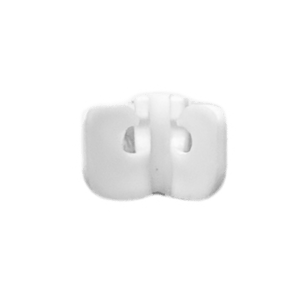
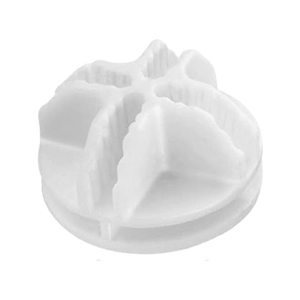
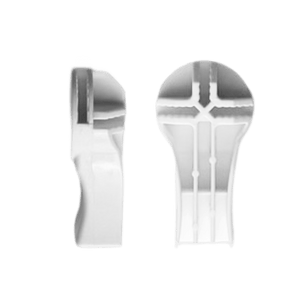
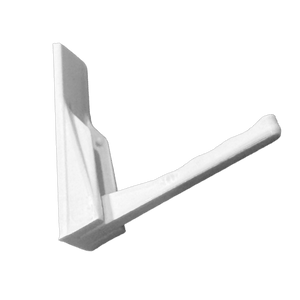
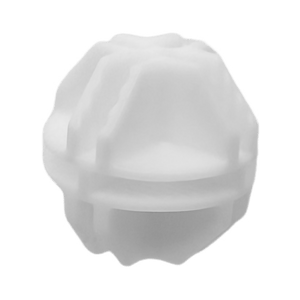
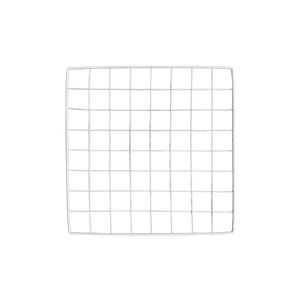
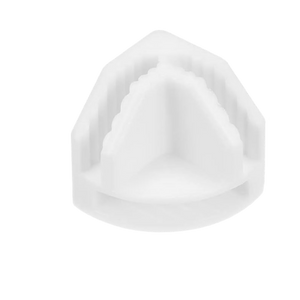
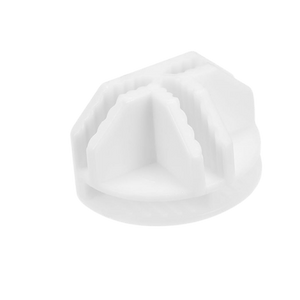
Because every panel and connector we make is cross-compatible across kit sizes, you can add exactly the amount of space your new product line needs. No guessing, no buying a whole new booth because you added one product category.
Sizing to your actual line, not a guess
Our Core kit at 24 panels suits a tight, focused line on a half table. Shapeshift Base at 46 panels is the default for most growing vendors, it expands easily with add-ons as your line does. Shapeshift at 70 panels is our most popular size, built for a full table with tall framing when your line has real depth. Shapeshift Max at 92 panels handles the vendors running double tables worth of product across corners or full booths.
If you're not sure which size matches where your product line is headed, start with a Shapeshift Base kit and add from there as new categories come online.
Plan the wall space before you launch the new line
Before you commit to a new product category, sketch out where it lives on your booth. If the answer is "somewhere, I'll figure it out," that's usually the sign you need more panels, not more cramming. See how the kits compare to figure out what fits your next product drop.
FAQ
How much display space do I need per new product category?
It depends on the product, but a rough rule is give each category its own dedicated panel or shelf zone so it doesn't blend into the next one. Cramped displays sell worse even when the product is good.
Can I add panels mid-season instead of waiting for a full kit?
Yes, since every kit shares the same connector system you can add exactly the panels you need when a new product line launches, rather than buying a whole new setup.
What's the most common display mistake as a product line grows?
Overcrowding the existing table instead of expanding the display. It buries your best work and makes the whole booth harder to shop.
![Artistbooths Bundle Component Frosted Lavender Purple (PMS 2715 C) Panel Square (35x35 cm) [8-pack]](http://artistbooths.com/cdn/shop/files/artistbooths-bundle-component-frosted-lavender-purple-pms-2715-c-boof-panel-square-35x35-cm-8-pack-1214015634.png?v=1767318728&width=300)



![Artistbooths Bundle Component Frosted Lilac Purple (PMS 263 C) BOOF Panel Triangle (35x35 cm) [2-pack]](http://artistbooths.com/cdn/shop/files/artistbooths-bundle-component-frosted-lilac-purple-pms-263-c-boof-panel-triangle-35x35-cm-2-pack-1214015625.png?v=1767318428&width=300)


![Artistbooths Bundle Component Frosted Lilac Purple (PMS 263 C) BOOF Panel Half Square (35x17.5 cm) [4-pack]](http://artistbooths.com/cdn/shop/files/artistbooths-bundle-component-frosted-lilac-purple-pms-263-c-boof-panel-half-square-35x17-5-cm-4-pack-1214015628.png?v=1767318516&width=300)



![Square Panel [24 Pack] (35cm / 13.8in) Add-on](http://artistbooths.com/cdn/shop/files/Bulk_thumbnails-14.png?v=1782275611&width=320)
![Triangles Panels 4 Pack [35cm / 13.78in] Add-on](http://artistbooths.com/cdn/shop/files/artistbooths-booth-garage-frosted-salmon-pink-pms-1765-c-triangles-4-pack-35cm-13-78in-1229850282.png?v=1774848850&width=320)
![Half-Squares panels [5 Pack] [17.5x35cm / 6.89x13.78in] Add-on](http://artistbooths.com/cdn/shop/files/artistbooths-booth-garage-frosted-tan-brown-pms-728c-half-squares-10-pack-17-5cm-6-89in-1229850290.png?v=1774849177&width=320)
![Self Serve Hook with wire grid T clip 8cm [10 pack] Add-on](http://artistbooths.com/cdn/shop/files/artistbooths-booth-garage-t-section-self-serve-grid-hook-8cm-10pcs-1234044856.png?v=1776916212&width=320)
![Self serve display Grid & Intersection Hook expansion pack [12/24 Mixed pack] Add-on](http://artistbooths.com/cdn/shop/files/artistbooths-booth-garage-12-pack-2-grid-10-hooks-self-serve-display-grid-intersection-hook-expansion-pack-12-24-mixed-pcs-1234209872.png?v=1777005938&width=320)
![Multi Connector Expansion Pack - White - Bundle & Save [16/32 mixed pack] Add-on](http://artistbooths.com/cdn/shop/files/artistbooths-booth-garage-16-mixed-connector-pro-pack-connector-pro-expansion-pack-white-bundle-save-16-32-mixed-pcs-1234209875.png?v=1777005971&width=320)

![Hinged Square panels [5 Pack] [35cm / 13.78in] Add-on](http://artistbooths.com/cdn/shop/files/artistbooths-booth-garage-frosted-forest-green-pms-3415-c-hinged-squares-8-pack-35cm-13-78in-1229850315.png?v=1774849297&width=320)
![Mini Rectangle Panels [5-Pack] (17cm x 35cm/6.69in x 13.78in) Add-on](http://artistbooths.com/cdn/shop/files/artistbooths-booth-garage-frosted-amber-yellow-pms-1235-c-half-squares-10-pack-17cm-6-69in-1229850280.png?v=1774848457&width=320)
![Foot Connector Expansion Pack [4 Pcs] Add-on](http://artistbooths.com/cdn/shop/files/artistbooths-booth-garage-white-foot-connector-4-pcs-1233353183.png?v=1776908318&width=320)
![Mixed Single & Double Wire Shelf Clip [9 pack] Add-on](http://artistbooths.com/cdn/shop/files/artistbooths-booth-garage-12-pack-2-grid-10-fold-hooks-self-serve-display-grid-fold-hook-expansion-pack-12-24-mixed-pcs-1234209869.png?v=1777005852&width=320)
![Booth Wheel & Wheel Connector - white - [4 pack] Add-on](http://artistbooths.com/cdn/shop/files/artistbooths-booth-garage-booth-wheel-4pcs-wheel-connector-4-pcs-white-1234044880.png?v=1776916093&width=320)
![Corner Connector Expansion Pack [8 pack] Add-on](http://artistbooths.com/cdn/shop/files/artistbooths-booth-garage-white-corner-connector-expansion-pack-4-pcs-1234044868.png?v=1776915937&width=320)
![Edge Connector [8 pack] Add-on](http://artistbooths.com/cdn/shop/files/artistbooths-booth-garage-white-edge-connector-4-pcs-1234044876.png?v=1776915671&width=320)
![Single Shelf Wire Clip White [5 pack] Add-on](http://artistbooths.com/cdn/shop/files/artistbooths-booth-garage-single-shelf-wire-clip-white-5pcs-1234044883.png?v=1776915612&width=320)
![Double shelf wire clip white [4 pack] Add-on](http://artistbooths.com/cdn/shop/files/artistbooths-booth-garage-white-double-shelf-wire-clip-4-pack-1233353188.png?v=1776771613&width=320)
![Foldable Self Serve Hook (with wire clip) - [20 pack] Add-on](http://artistbooths.com/cdn/shop/files/artistbooths-booth-garage-white-foldable-self-serve-hook-wire-clip-version-10-pcs-1234214602.png?v=1777016318&width=320)
![Foldable Self Serve Hooks (with adhesive sheet) [20 pack] Add-on](http://artistbooths.com/cdn/shop/files/artistbooths-booth-garage-white-foldable-self-serve-hooks-adhesive-version-10-pcs-1234214609.png?v=1777016200&width=320)
![Metal mallet (with dual rubber/soft tap sides) [1 pc] Add-on](http://artistbooths.com/cdn/shop/files/artistbooths-bundle-component-dual-headed-metal-mallet-with-soft-tap-side-1209303104.png?v=1764380999&width=320)
![Panel Clamp Black 3cm Mouth [4 pcs] Add-on](http://artistbooths.com/cdn/shop/files/artistbooths-booth-garage-panel-clamp-2-pcs-1233843253.png?v=1776843493&width=320)